Every model, one quiet workspace. 所有模型,一个安静的工作台。

Clause is a Windows app for DeepSeek, Qwen, Kimi, GPT, Claude and the models on your own PC. It reads and edits the files in your folders, runs your scripts, researches the web and makes your slides, and it asks before it changes anything. Clause 是一个 Windows 应用,接 DeepSeek、通义千问、Kimi、GPT、Claude,也能用你电脑上的本地模型。它能读改你文件夹里的文件、运行脚本、上网查资料、做 PPT,改动任何东西之前都会先问你。

Free for Windows 10 and 11. 免费,支持 Windows 10 和 11。

Works with the models you already use接入你已经在用的模型

Any service with an OpenAI-compatible API works too. Bring your own keys; you pay the provider directly. 任何兼容 OpenAI 接口的服务都能接。用你自己的 API Key,费用直接付给服务商。

Hand it a folder.把文件夹交给它。

Link a project folder and Clause reads, searches and edits the files in it, runs your scripts and shows you exactly what changed. You decide how much it does on its own: ask before every change, only before risky ones, or never. 绑定项目文件夹后,Clause 能读取、搜索和修改里面的文件,运行你的脚本,并把每一处改动清楚地列给你。放手多少由你决定:每次修改都先问、只在有风险时问,或者完全放手。

  • Every change is backed up and can be undone每一处改动都有备份,可以撤销
  • Runs commands in PowerShell only if you switch them on只有你打开开关,才会运行 PowerShell 命令
  • Reads PDF, Word, Excel and PowerPoint files能读 PDF、Word、Excel 和 PowerPoint
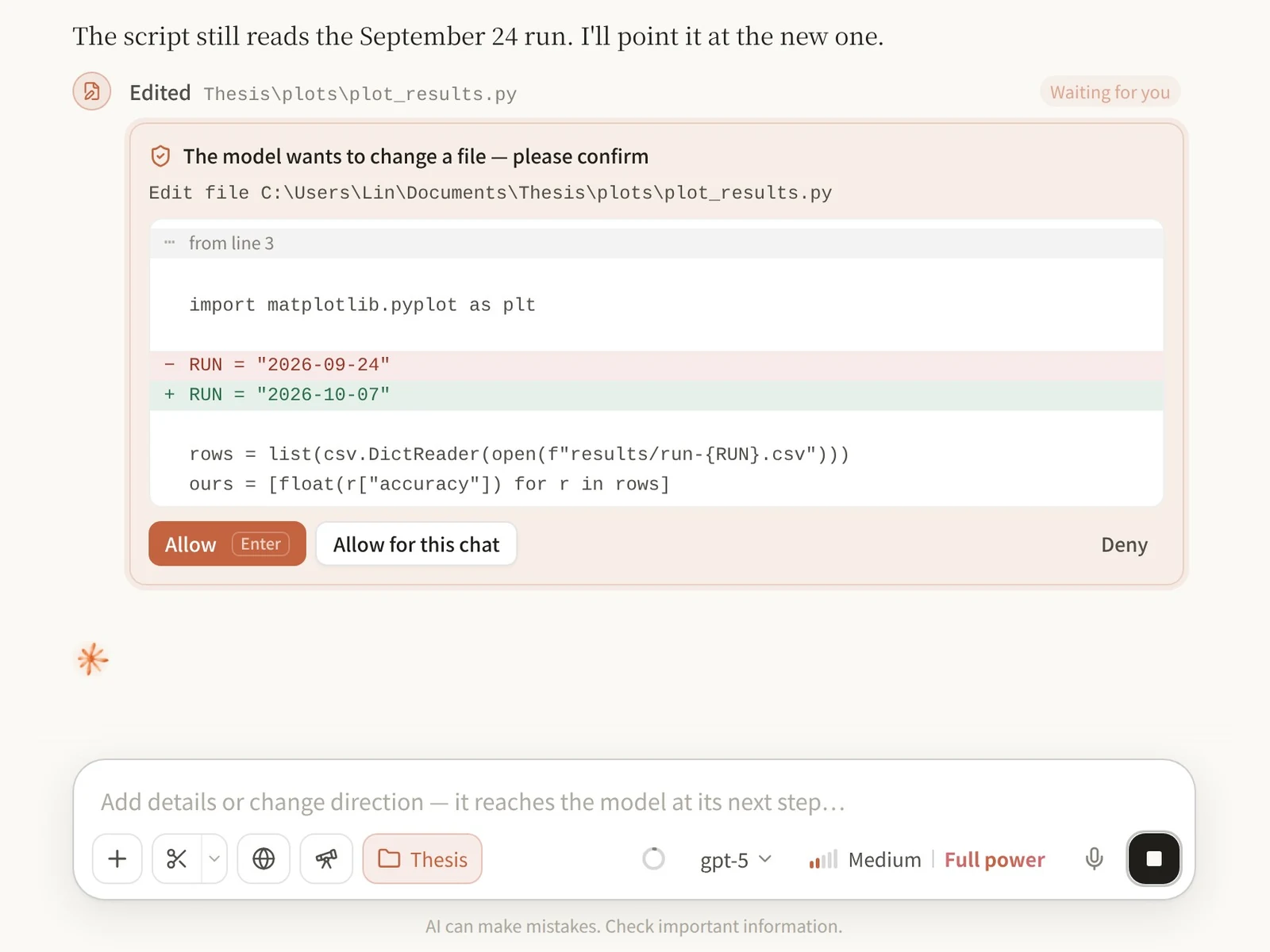
Clause asking before it edits a Python script, with the change shown as a diff

Split the big jobs.大活儿,拆开干。

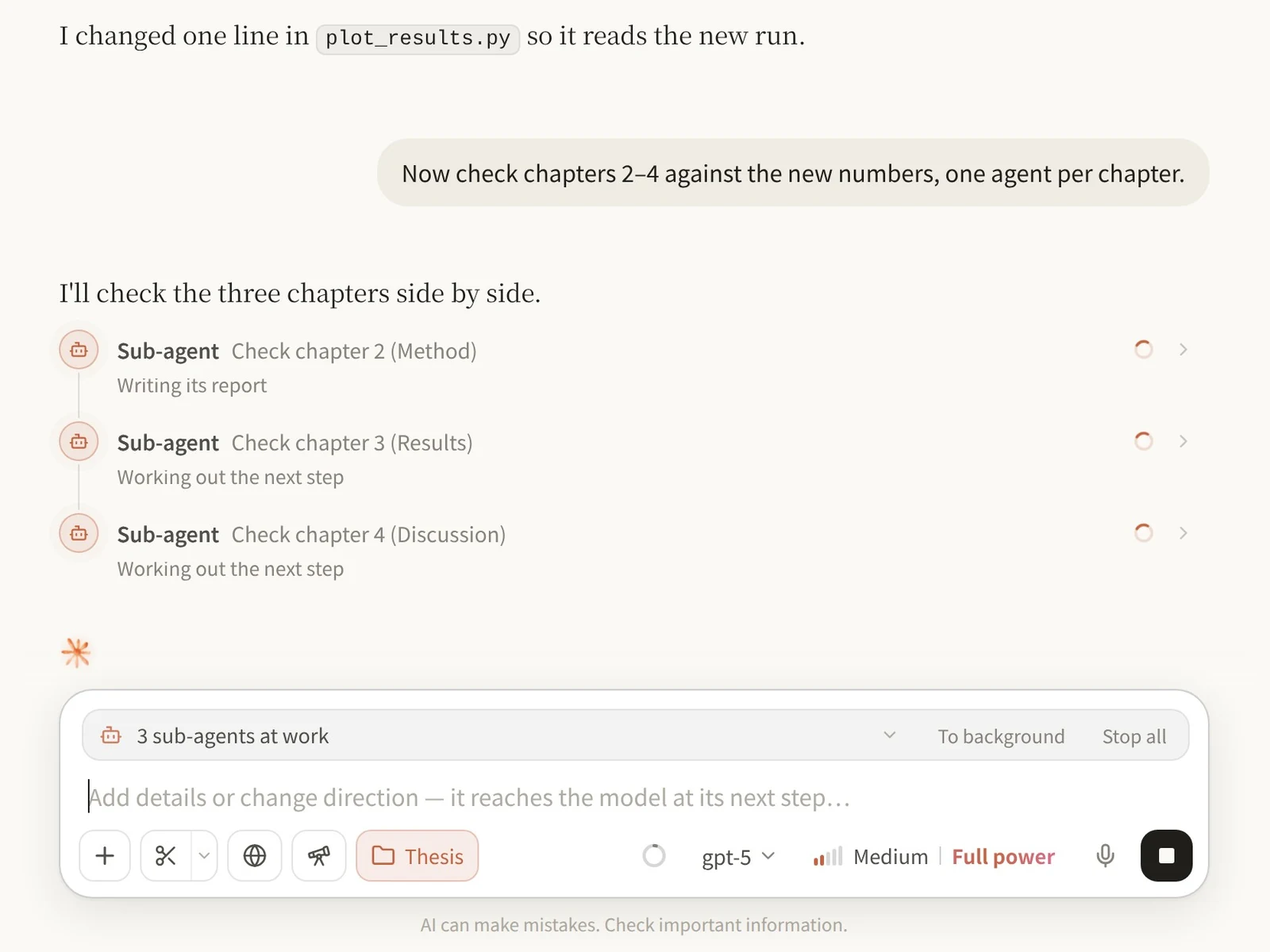
When a task has parts, Clause starts sub-agents that work side by side, up to twenty at once, each with its own context, and brings their reports together. Longer jobs can run as workflows in the background while you keep talking. 任务能拆开时,Clause 会派出子智能体同时开工,最多二十个,各自有独立的上下文,最后把报告汇总给你。更长的任务可以写成工作流,在后台跑,你接着聊别的。

Three sub-agents checking three thesis chapters at the same time

Make the deck.直接出 PPT。

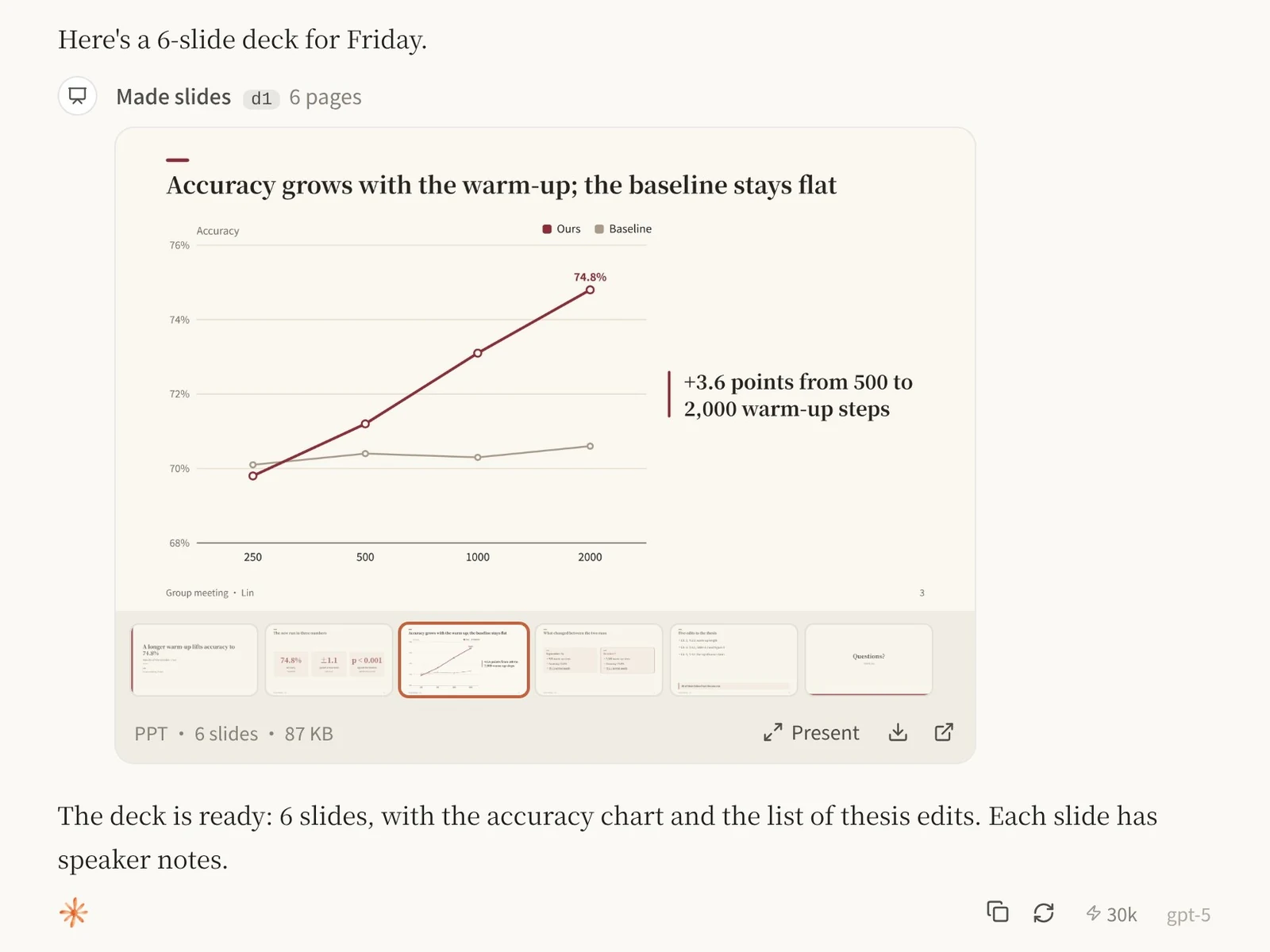
Ask for slides and Clause designs a PowerPoint you can edit: titles, charts, tables, equations and speaker notes. Send it a template or a slide you like and it follows the look. Open the file in PowerPoint, WPS or Keynote and keep going. 说一句要做 PPT,Clause 就会设计一份能编辑的 PowerPoint:标题、图表、表格、公式、演讲备注都有。发给它一个模板或者你喜欢的页面,它会照着那个样子做。用 PowerPoint、WPS 或 Keynote 打开就能接着改。

A six-slide deck made in the conversation, open on its chart slide

Pick the model for the job.按任务挑模型。

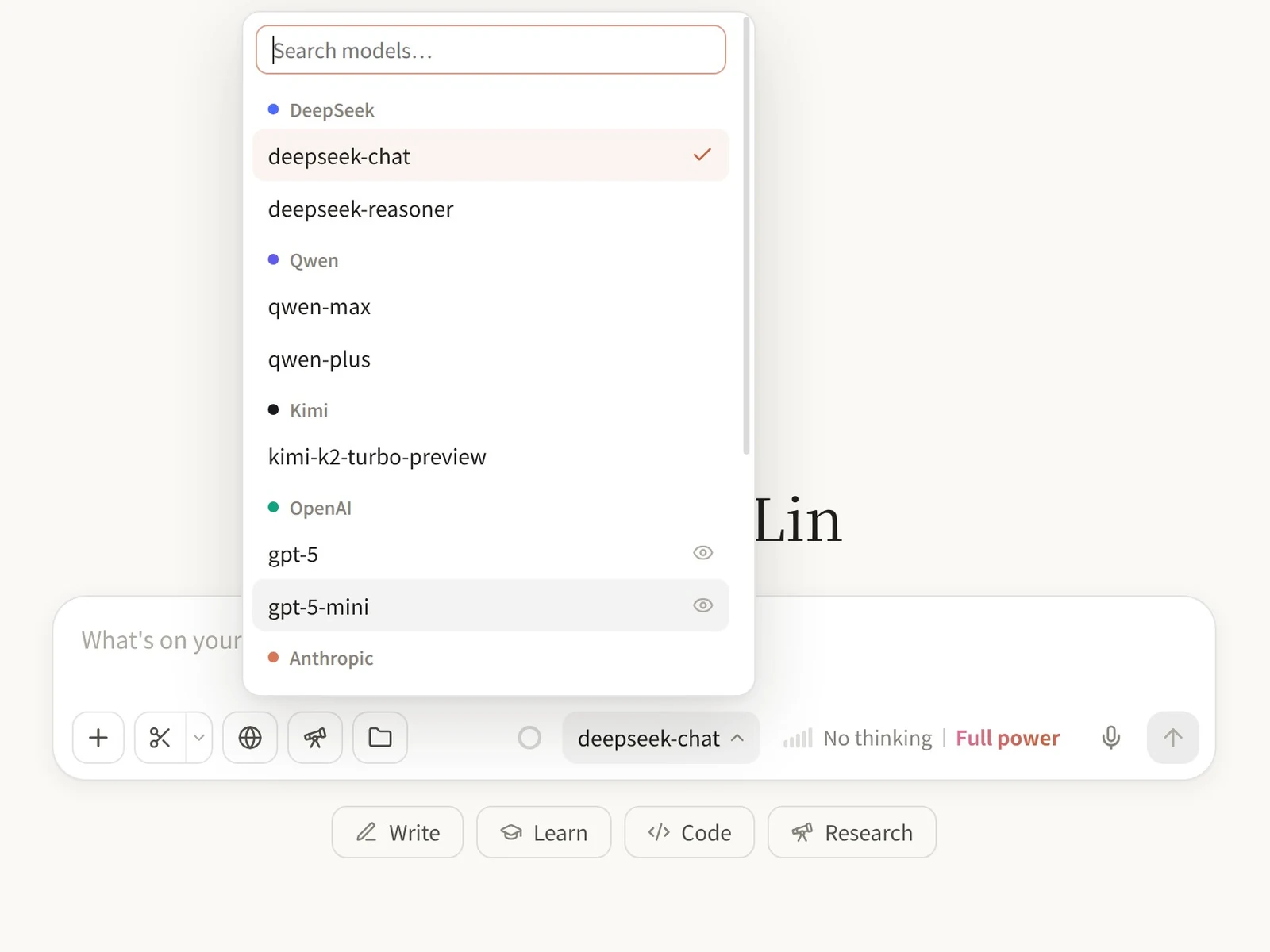
Reason with DeepSeek, write in Chinese with Qwen or Kimi, code with GPT or Claude, and keep private notes on a model that runs on your own PC. Switch in the middle of a conversation; Clause remembers how hard each model should think. 推理用 DeepSeek,写中文用通义千问或 Kimi,写代码用 GPT 或 Claude,私密的内容交给你电脑上的本地模型。对话进行到一半也能换模型;每个模型想得多深,Clause 都会替你记着。

The model menu in Clause, with DeepSeek, Qwen, Kimi and OpenAI models

A 125B model on your own PC.在自己电脑上跑 125B 模型。

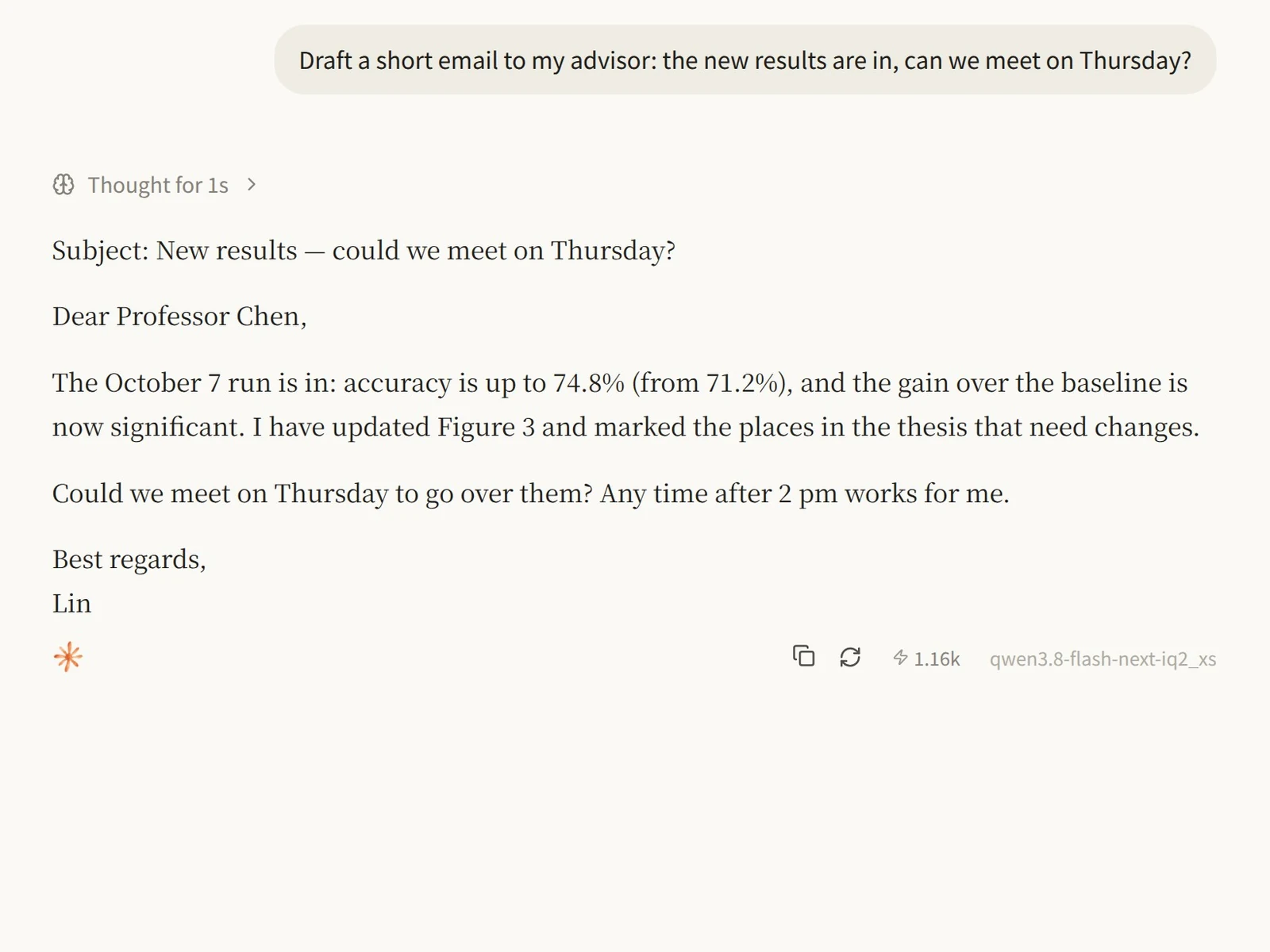
Clause installs Strata in one click and runs Qwen3.8-Flash-Next, a 125-billion-parameter mixture-of-experts model, on a gaming PC. It starts when you use it and lets go of the memory when you don’t. What you send it never leaves your computer. Clause 一键安装 Strata,用一台游戏电脑就能运行 Qwen3.8-Flash-Next,一个 1250 亿参数的混合专家模型。用的时候自动启动,不用时自动释放内存。你发给它的内容不会离开你的电脑。

Memory内存
48 GB, or 32 GB for the Coder size48 GB,Coder 版 32 GB
Graphics显卡
NVIDIA RTX 20-series or newer, or a recent AMD cardNVIDIA RTX 20 系或更新,或较新的 AMD 显卡
Also另外
Models you run with Ollama work tooOllama 里的模型也能直接用
An email to an advisor, written by the 125B model running on the PC

Also in Clause还有这些

Deep research深度研究
Breaks the question down, searches several ways at once, reads pages and PDFs, and writes a report that cites its sources.拆解问题、多路同时搜索、读网页和 PDF 原文,写成带引用的报告。
Browser and apps浏览器和软件
With your permission it works in its built-in browser and in the apps on your PC, and asks before it submits, sends or pays.经你允许,它能在内置浏览器里和电脑上的软件里操作;提交、发送、付款之前都会先问你。
Memory记忆
Remembers what matters between chats. You can read and edit all of it.在对话之间记住要紧的事,记了什么你都能看、能改。
Projects项目
A folder, instructions and a model for each piece of work.每项工作一个项目:绑定文件夹、写好要求、选好模型。
Scheduled tasks定时任务
Runs a prompt every morning, or once at a set time.每天早上跑一次,或者到点运行一次。
Tools and skills工具和技能
Connect MCP servers and add skills of your own.接入 MCP 服务,添加你自己的技能。
Voice and screenshots语音和截图
Speak instead of typing, offline if you like, and drop a screenshot straight in.说话代替打字,也可以离线识别;截图直接放进输入框。
Pictures and video图片和视频
Generate images and video, and cut, caption and animate clips.生成图片和视频,还能剪辑、加字幕、做动画。
Usage用量
See the tokens each chat and each model used.每个对话、每个模型用了多少 token,一目了然。

Your keys and chats stay on your computer.密钥和对话都留在你的电脑上。

Clause has no account and no server of its own. Your API keys, chats and files are stored on your PC, and requests go straight from your computer to the provider you choose. Clause 没有账号,也没有自己的服务器。API Key、对话和文件都保存在你的电脑上,请求直接从你的电脑发给你选的服务商。

Up and running in a few minutes几分钟就能用上

  1. Download Clause下载 Clause

    The installer is about 115 MB and needs 64-bit Windows 10 or 11.安装包约 115 MB,需要 64 位的 Windows 10 或 11。

  2. Run the installer运行安装包

    If Windows says “Windows protected your PC”, click More info, then Run anyway. Clause isn’t signed with a paid certificate yet.如果 Windows 提示“Windows 已保护你的电脑”,点“更多信息”,再点“仍要运行”。Clause 暂时还没有购买付费的代码签名证书。

  3. Add a model接上模型

    Paste an API key from DeepSeek, Qwen, Kimi, OpenAI or Anthropic, or install Strata or Ollama to run models on your PC.填入 DeepSeek、通义千问、Kimi、OpenAI 或 Anthropic 的 API Key,或者安装 Strata、Ollama,在自己电脑上跑模型。

Questions常见问题

Does Clause cost anything?Clause 收费吗?

No. Clause itself is free. When you use a model in the cloud, you pay its provider directly through your own API key. Models on your PC cost nothing to run.不收费。用云端模型时,费用通过你自己的 API Key 直接付给模型服务商;在自己电脑上跑模型不花钱。

Which models can I use?能用哪些模型?

DeepSeek, Qwen, Kimi, Zhipu GLM, SiliconFlow, Volcengine Ark, OpenAI, Anthropic and OpenRouter are set up for you; any other OpenAI-compatible service works too. On your PC, Clause runs Strata’s 125B model and any model you run with Ollama.DeepSeek、通义千问、Kimi、智谱 GLM、硅基流动、火山方舟、OpenAI、Anthropic 和 OpenRouter 都已经预设好,其他兼容 OpenAI 接口的服务也能接。本地方面,Clause 能运行 Strata 的 125B 模型,以及你用 Ollama 运行的任何模型。

What does my PC need?对电脑有什么要求?

For cloud models, any PC with 64-bit Windows 10 or 11. To run the 125B model locally you need 48 GB of RAM (32 GB for the Coder size) and an NVIDIA RTX 20-series or newer, or a recent AMD graphics card.用云端模型,64 位 Windows 10 或 11 就行。要在本地跑 125B 模型,需要 48 GB 内存(Coder 版 32 GB),以及 NVIDIA RTX 20 系或更新的显卡,或较新的 AMD 显卡。

Where are my chats and keys kept?对话和密钥存在哪里?

On your PC, in Clause’s own folder. There is no account and no Clause server. Model requests go straight from your computer to the provider you picked.都在你的电脑上,Clause 自己的文件夹里。没有账号,也没有 Clause 的服务器,模型请求直接从你的电脑发给你选的服务商。

Windows warns me when I open the installer. Is that expected?打开安装包时 Windows 弹出警告,正常吗?

Yes. Windows SmartScreen shows “Windows protected your PC” for apps without a paid code-signing certificate. Click More info, then Run anyway.正常。没有付费代码签名证书的软件,Windows SmartScreen 都会提示“Windows 已保护你的电脑”。点“更多信息”,再点“仍要运行”即可。

How do updates work?怎么更新?

Clause looks for new versions in the background and installs them the next time you quit. You can turn this off in Settings.Clause 会在后台检查新版本,在你下次退出时自动装好。不想自动更新可以在设置里关掉。

Is there a Mac or Linux version?有 Mac 或 Linux 版吗?

Not yet. Clause is for 64-bit Windows 10 and 11.暂时没有。Clause 目前支持 64 位的 Windows 10 和 11。

Try Clause.试试 Clause。

Download for Windows下载 Windows 版

Free for Windows 10 and 11.免费,支持 Windows 10 和 11。